
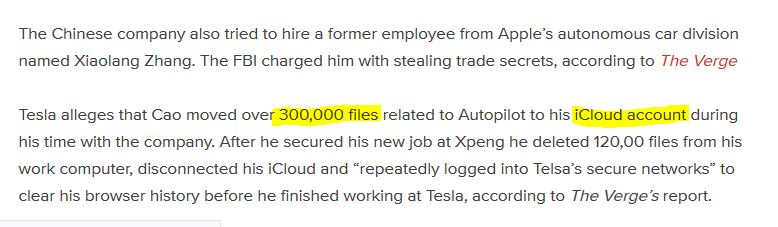
With so much focus over the past few years on external hacks and system intrusions, many internal data breaches have gone under (and un) reported. Large organizations rarely air their dirty laundry unless prompted to do so by regulators or shareholders. Sometimes the breach can be detrimental to future financial gains so a company will have no choice but to make it known – usually via lawsuit like the recent case with Tesla (March 2019).
https://mobilesyrup.com/2019/03/21/tesla-sues-zoox-former-employees-trade-secret-theft-autopilot/
In short, one former employee allegedly stole proprietary data related to a manufacturing process including “inventory and receiving methods” and “internal schematics”, while another former employee stole proprietary information related to “self-driving technology”. While it was noted that some of the information was allegedly taken via email, a cornucopia of files were allegedly uploaded to an iCloud account while at Tesla.
This is not a new problem for organizations big and small, but it does highlight a control gap that security professionals must account for to mitigate the risk of loss of data to an insider threat. Let’s assume for a moment I’m a CISO and I am asked to explain how my security team can detect such activity. Assuming I have the ability to inspect SSL traffic from my network security devices and I am logging proxy activity from clients on my network, I may already be doing this so my answer would be – “we are flexible in our identification capabilities and can alert and respond as needed to this threat vector”. For security programs that are not as mature, there might be a method you could use to identify iCloud traffic and alert your Security Operations teams to potential uploads of confidential data.
**note** this is a quick and dirty tutorial used for demonstration purposes and is not intended to be a catch all security solution; use for your security program at your own risk!
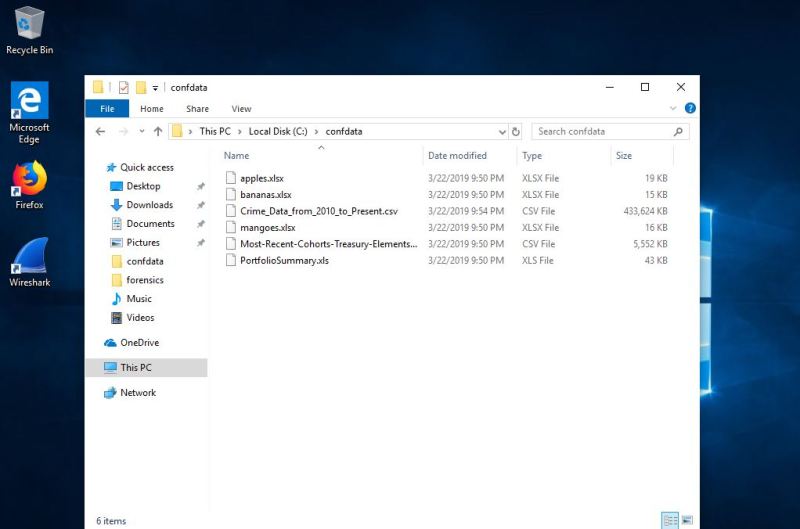
As with all good security solutions, trust but verify your methods! Using VMware workstation, I set up a Windows 10 VM (base install) and added Firefox and Wireshark. I created a dummy iCloud account along with dummy intellectual property on the local C drive.
In order to inspect SSL traffic from your browser in Wireshark, it is recommended to configure a host sslkeylog file as a Windows Environment Variable as noted by Jim Shaver in his blog post from February 2015 here – https://jimshaver.net/2015/02/11/decrypting-tls-browser-traffic-with-wireshark-the-easy-way/.
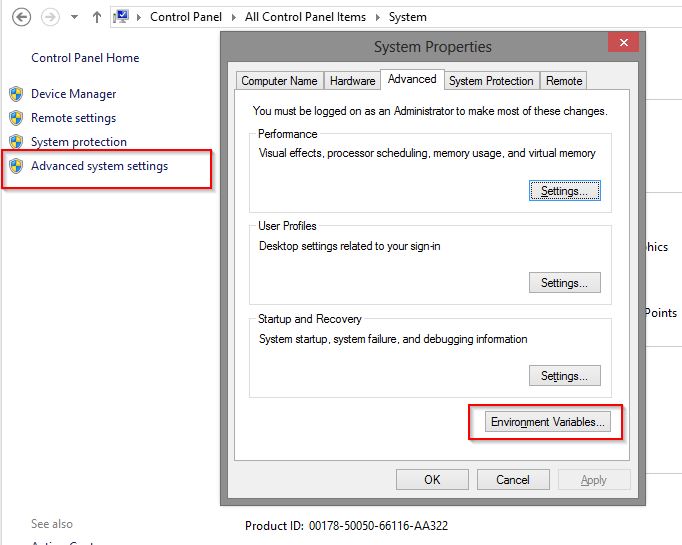
Instructions to configure Wireshark to use that environment variable to receive decrypted content from Firefox are also included in Mr. Shaver’s post (in the comments).
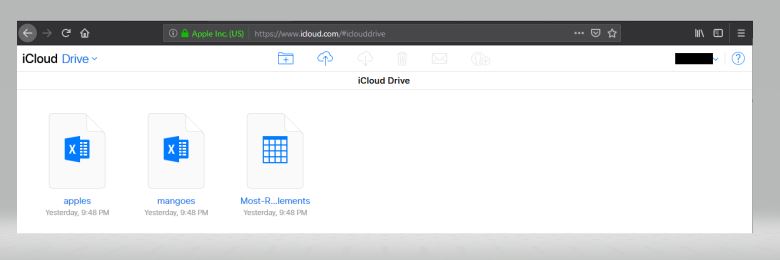
Once this is setup, you can begin by launching Wireshark, then launching Firefox. Browse to iCloud.com and browse to your iCloud drive where you can upload via the navigation system built into the web interface.
Save your capture and exit out of Wireshark. Export the capture and the sslkeylog file to your examination machine (or you can keep it local and perform your analysis on your VM…either way works)
Launch Wireshark on your examination machine (or the local VM) ensure the sslkeylog file is correct under “(Pre)-Master-Secret log filename” in Preferences > Protocols > TLS

Load the packet capture you took of your uploads then type in ‘http contains “upload” ‘ in the filter bar. (if the SSL decrypt worked, you will get results). In this example, Wireshark will return three results (the three dummy files that I uploaded).
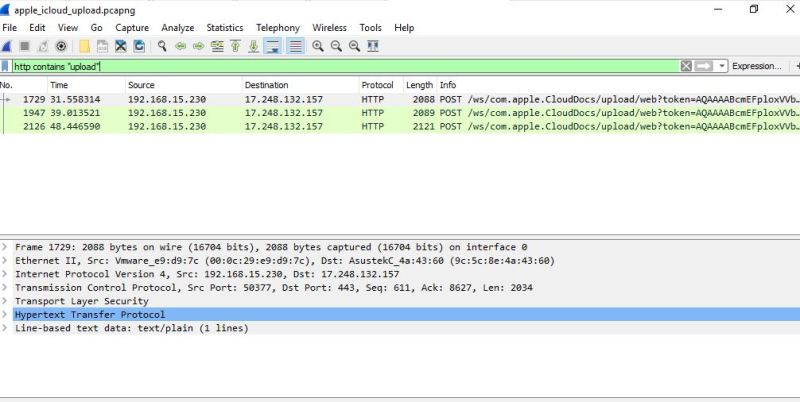
If I double-click on the first result, I get the details of the specific packet that shows me the POST packet that initiated the upload of one of the files.
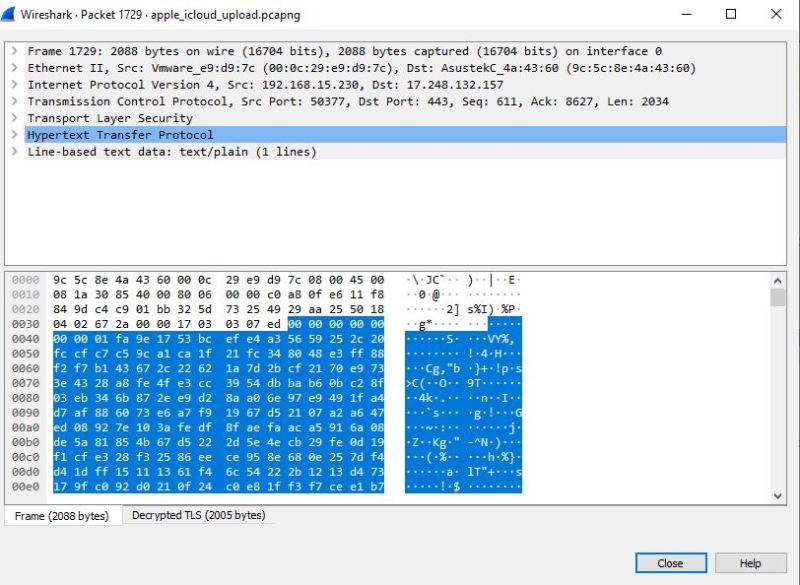
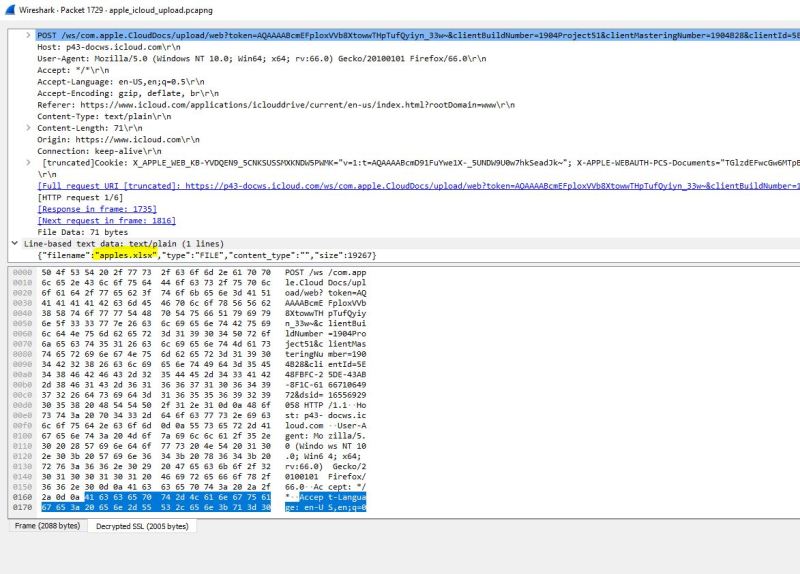
As I navigate to the ‘decrypted TLS’ tab at the bottom of the packet, I’m shown the decrypted POST activity as well as the name of the file that was upload (apples.xlsx). I can use this information to start building out search queries to use in a SIEM that may not be configured to alert on this type of activity.
This method isn’t as sophisticated and orchestrated as more mature programs may require in order to defend against these types of channels for data loss, but this is a quick and dirty way for security professionals to begin digging into the guts of potential espionage activity in their organizations – privacy and legal approvals pending, of course!

 Cyber Harbor USA